ritmelli

Play music through your mic.

In VRChat, Discord, and other games and calls on your PC, everyone hears the music, your voice effects, and the soundboard through your usual mic. Your friends don't need to install anything.

Free, for 64-bit Windows 10 and 11, Intel or AMD PC. Free and open source.
The app isn't code-signed yet, so your browser and Windows will warn you: see what to do.
tavinwait, you're a DJ now?? that came in right on the beat
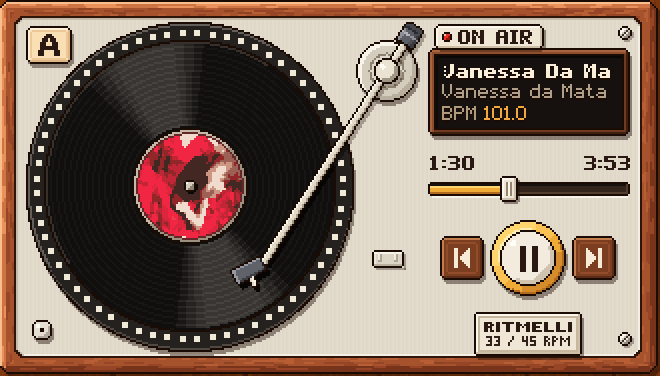
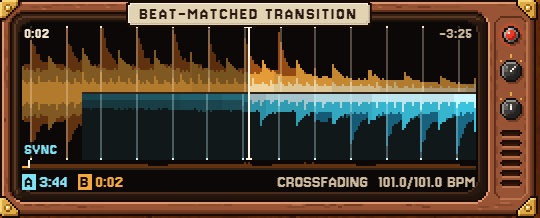
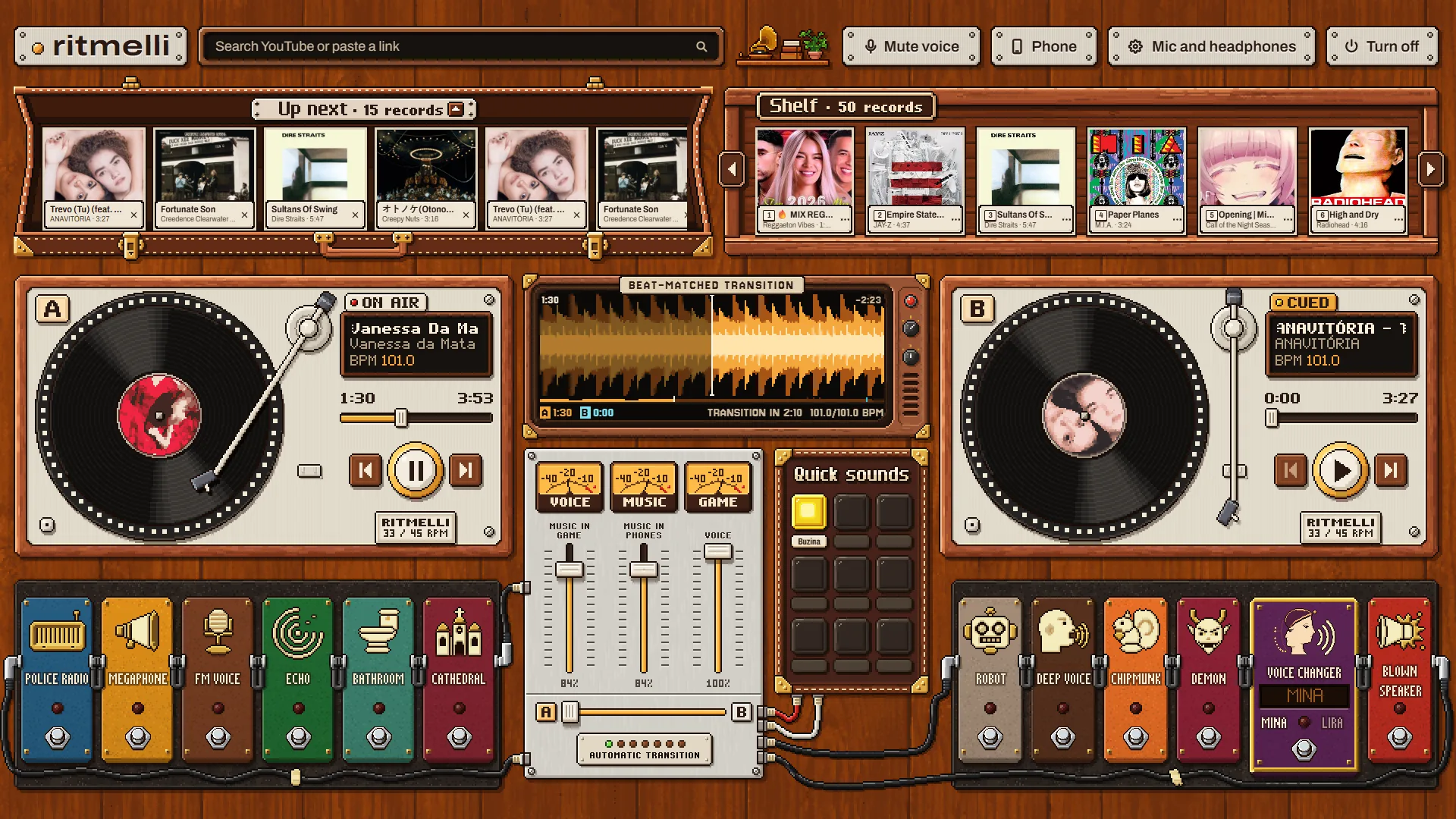
Turntable A on air, showing the current song, the time, and 101.0 BPM.Beat-matched transition display mid-mix: the orange wave of the outgoing song and the blue wave of the incoming one, with the beats aligned, SYNC, and 101.0/101.0 BPM.
On the beat: 101.0 and 103.0 BPM aligned
A 101.0
B 101.0
Tempo adjusted, pitch intactNo matching beat: clean crossfade

The next song comes in right on the beat, like there's a DJ on the call

Search YouTube for any song by name or paste a link. It starts playing right away, goes into the Up next queue, and stays saved on your Shelf.

When both tracks have a steady beat and close BPMs, Ritmelli adjusts the tempo while keeping the pitch intact and drops the next one in on the beat. When their rhythms don't match, it does a smooth crossfade.

  • Auto is on by default: it keeps the queue full of similar songs, ordered by tempo, and you can turn it off anytime with the Play similar songs switch on the turntable.
  • Automatic volume: evens out loud and quiet tracks so nobody on the call gets startled.
luawait, who joined the call with Mina's voice??
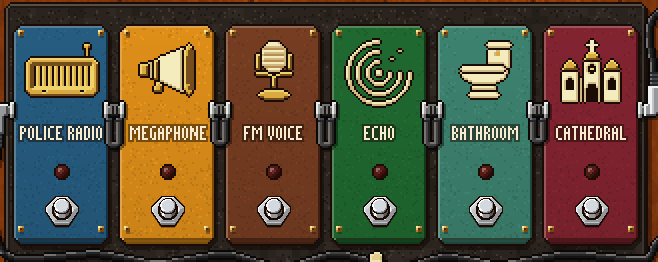
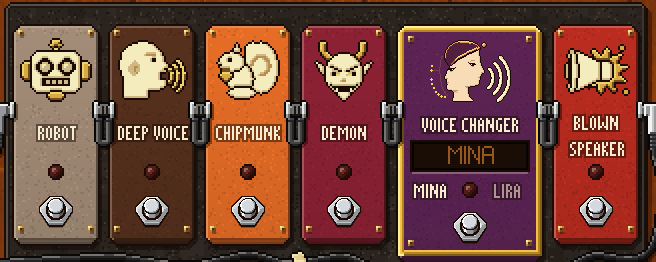
Ritmelli's first pedalboard with the Police radio, Megaphone, FM voice, Echo, Bathroom, and Cathedral effects.Ritmelli's second pedalboard with the Robot, Deep voice, Chipmunk, Demon, Voice changer, and Blown speaker effects.
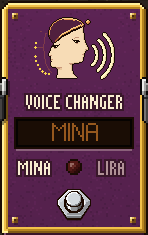
Ritmelli's Voice changer pedal, with the Mina voice on the display.

Twelve live voice effects and a whole new voice

Step on a pedal and talk right away with Police radio, Megaphone, FM voice, Echo, Bathroom, Cathedral, Robot, Deep voice, Chipmunk, Demon, Alien, or Blown speaker.

The Voice changer pedal swaps your voice for another one, live: you say one sentence so it can measure your pitch, then choose the voice of Mina or Lira.

  • No graphics card needed for the 12 effects: they all run on the processor. Only the Voice changer uses a graphics card (the installer downloads about 325 MB of voices; without a graphics card, you get the Alien pedal instead).
  • Test it in secret: turn on Mute voice at the top of the app to keep only the music on the call, and turn on Hear my voice in the phone remote to hear the effect in your headphones.
dudahahaha that air horn right on the clutch
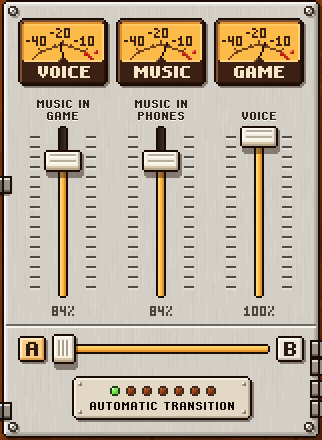
Ritmelli's mixer with the Voice, Music, and Game meters and the Music in game, Music in headphones, and Voice controls.
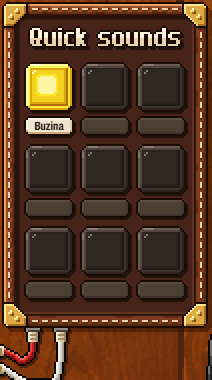
Quick sounds grid with a horn pad ready to play.

Try the reaction on the call (visual demo):

Ritmelli's Phone button.

Control it from your phone, no Alt+Tab: scan the QR code or use the 6-digit code on the same network as your PC. Change songs and fire off Quick sounds right from the browser.

A soundboard over the music, on your PC or right from your phone

Quick sounds work with any audio from YouTube: search for an air horn, a sound effect, or a meme, and any sound up to 15 seconds goes into the pads on its own. Longer sounds go in through the record menu on the Shelf and play up to their first 2 minutes.

On the mixer, you set Music in game (what others hear) separately from Music in headphones (what you hear, without your own voice coming back).

  • Without leaving the game: open the remote in your phone's browser to fire pads and change tracks while you play.
  • Mixed into your mic: the pad sound plays over the music and comes through clean for everyone in the room or on the call.
The full, real Ritmelli window while playing: YouTube search at the top, the Up next queue, the Shelf, two turntables, the beat-matched transition display, the mixer, Quick sounds, and both voice pedalboards.

All of it in a single window, no virtual cable

This is the real Ritmelli screen. The installer adds a filter to every microphone on your Windows PC, with no virtual driver and no sound setup. It works in VRChat, Discord, and any game or calling app on the same PC that lets you choose the microphone.

If you play or take the call on another device (a console, a phone, or VRChat running standalone on Quest, without a PC), the music won't get there.

Ritmelli's Mic and headphones button.English and Portuguese

How it works

  1. Install it on your PC

    The installer puts the Ritmelli filter on every Windows microphone, with no virtual cable. Install it when you're not in a game or call: your PC's sound goes silent for a few seconds.

  2. Pick the music or sound

    Search YouTube or paste a link. Songs play on the turntables; sounds up to 15 seconds go straight to Quick sounds.

  3. Everyone hears it through your mic

    The music goes silent along with your voice when you mute in the game or call, or when you release push-to-talk. In Discord, under User Settings, Voice & Video, Input Profile, choose Studio (or Custom without noise suppression), because the Voice Isolation profile cuts out the music.

Download free for WindowsSend the link to your PCUpdates automatically when you close the app. Open source on GitHub.

FAQ

Is it a mod? Does it change the game?

No. Ritmelli doesn't modify VRChat, Discord, or any other game or app: it mixes the music, voice effects, and soundboard into your mic, and everything reaches the game or call the same way your voice does.

How much does it cost?

Nothing. Ritmelli is free, with no limits, and open source (GPLv3 license). The only paid product planned is Mina, an AI DJ that will listen to your Discord call and play requests from everyone on it in your Ritmelli. Ritmelli stays free.

My browser and Windows showed warnings. Is it safe?

If you downloaded it from this page, yes: the installer comes straight from Ritmelli's GitHub, and the code is open for anyone to check. The warnings appear because Ritmelli isn't code-signed yet; a code signature is the seal that tells Windows who published the app. Follow these steps:

  1. In your browser, choose to keep the file. In Edge: ..., Keep, Show more, Keep anyway.
  2. On “Windows protected your PC”, click More info and then Run anyway.
  3. When Windows asks for permission, answer Yes.

If Windows blocks it with no option to run, it's usually Smart App Control (in Windows Security, under App & browser control, Smart App Control settings): Ritmelli only works with it turned off. Turning it off applies to every app on your PC; on an up-to-date Windows 11, you can turn it back on anytime, but it will block Ritmelli again.

If your antivirus blocks or deletes the Ritmelli you downloaded from this page, it's usually also because of the missing signature: restore the file from quarantine and add Ritmelli to the exclusions.

Will it work on my PC?

It works on 64-bit Windows 10 and 11, on a PC with an Intel or AMD processor (x64), outside S mode (the mode that only allows apps from the Microsoft Store). To check, open Settings, System, About: under System type you should see “64-bit operating system, x64-based processor”, and under Edition you shouldn't see “S mode”.

On a PC with an ARM processor (Snapdragon, for example), the installer warns you and doesn't continue. The app doesn't need a graphics card to work, and the twelve voice effects run on the processor; only the Voice changer pedal (Mina and Lira) needs a graphics card (without one, it doesn't appear and you get the Alien instead). On Windows 11, if Smart App Control is on, it blocks Ritmelli (see what to do).